Buying guide
Bass looper pedal: what it does for practice and what to look for
Record a groove with your foot, let it repeat and play over it: how loopers work, how bassists practice with them and which features to compare.
Published
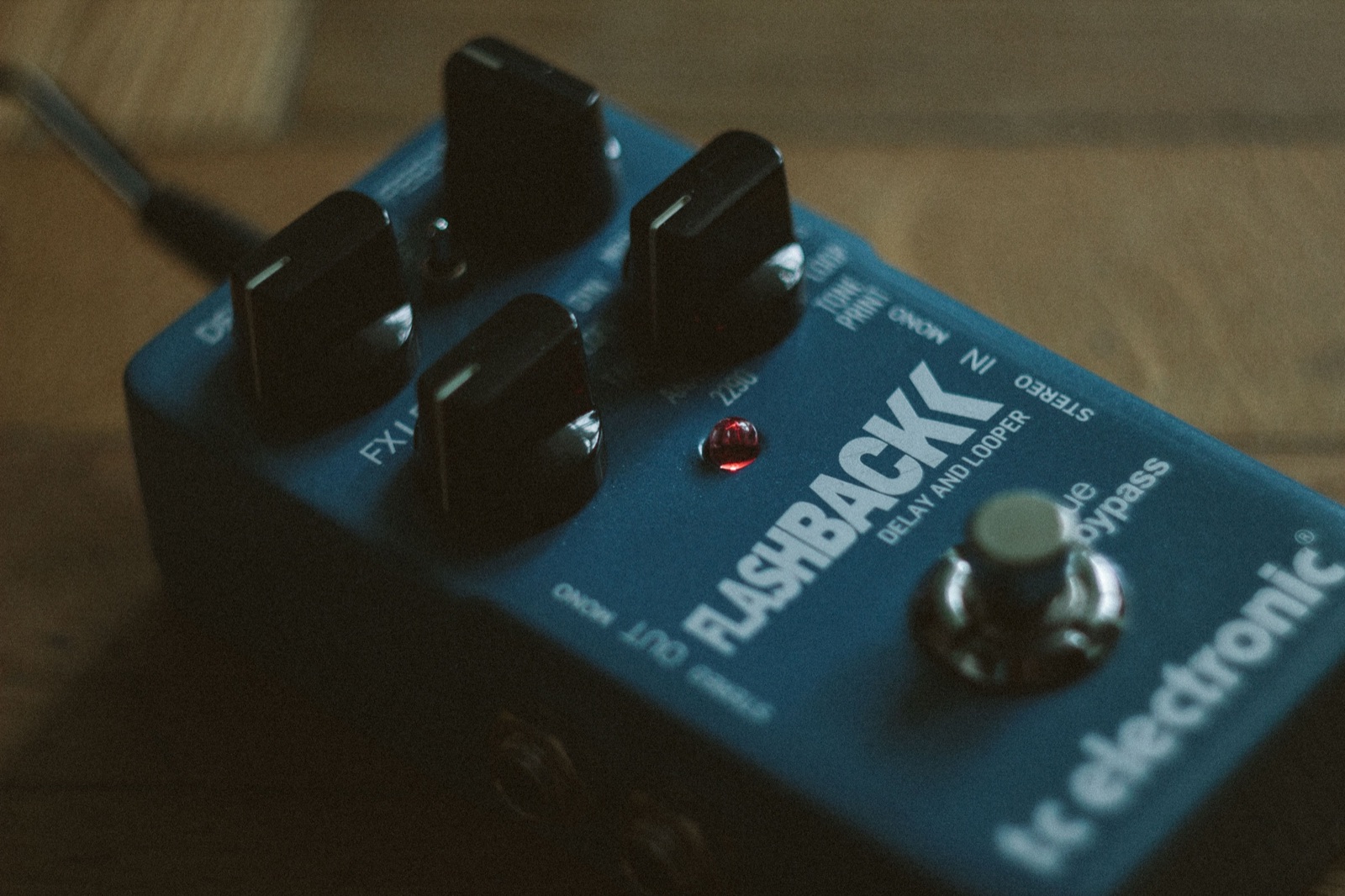
A bass looper pedal records what you play, then plays it back on repeat while you play something else over it. Press the footswitch to record a groove, press again and it loops; press again and you can add a layer. For bass players a looper is mostly a practice tool: a chord progression to solo over, a groove to lock in with, a way to hear how your line sounds from the outside. This guide explains how loopers work, how to practice with one, which features matter for bass, and where the pedal goes in your chain.
What you'll need
Essentials
-
Looper pedal
: records what you play and repeats it, with overdubs and undo. -
Power supply
: many loopers need a 9-volt adapter that is sold separately; check the rating. -
Two instrument cables
: bass to the looper, looper to the amp (more if other pedals come first).
Optional
-
External footswitch
: adds stop or undo on loopers that have a footswitch jack. -
Metronome or drum machine
: keeps your first loop in time if the looper has no rhythms.
What a bass looper does
BOSS, which makes the Loop Station series, describes the basic cycle in three steps: record a phrase, let it play back, then layer more parts on top. Everything else on a looper builds on that:
- Overdub: recording on top of the existing loop. Many pedals allow unlimited overdubs.
- Undo and redo: removes the last layer, and puts it back if you change your mind.
- Stop and clear: stops playback; clearing erases the loop so you can start again.
- Loop level: sets how loud the loop plays relative to your live bass.
The timing of your footswitch press matters most. BOSS advises hitting the pedal right on the beat for a seamless loop; press a little late and the loop has a gap or a hiccup every time it repeats.
How bassists practice with a looper
BOSS's guide for bass players lists practice as one of the main uses: working on timing, soloing over grooves and phrasing. Some ways to use it:
- Groove against yourself. Record a simple root-note groove, then play a variation over it. Every mistake comes back on the next repeat, which pushes you to play tighter.
- Chord progression, then the line. Record the chords as double stops or arpeggios high on the neck, then practice a walking bass line or fills over them.
- Scales over a drone. Loop one note and practice bass scales and bass exercises against it, listening to how each interval sounds.
- Hear yourself as the band would. Loop a line, put the bass down and listen. Uneven notes and rushed fills are easier to hear from outside.
When you want a full band rather than your own layers, practice with bass backing tracks instead. Start each loop from a metronome or a drum pattern. On bass you are the time-keeper, and BOSS recommends a metronome or built-in rhythm guide for exactly that reason.

Types of looper pedals
| Type | What it offers | Suits |
|---|---|---|
| Single-switch mini looper | one footswitch, a loop level knob, small enclosure | practice and simple layering |
| Looper with display and memory | stored loops, a screen, sometimes rhythms and USB | building and saving practice material |
| Multi-track or dual-switch looper | separate tracks, more footswitches, often drums and MIDI | song sections, live looping |
| Looper inside a multi-effects unit | a short phrase looper among the effects | occasional practice loops |
Single-switch loopers
The simplest loopers do everything from one footswitch. TC Electronic's original Ditto Looper is an example; TC Electronic lists 5 minutes of looping time, unlimited overdubs, undo and redo by pressing and holding the footswitch, a loop level knob, analog dry-through, true bypass once the loop is cleared, and a 9-volt adapter rated above 100 mA that isn't included. BOSS's RC-1 is another; BOSS lists about 12 minutes of stereo recording time, mono/stereo inputs and outputs, undo/redo, a jack for up to two optional footswitches, and power from a 9-volt battery or an optional adapter. Its most recent loop stays in memory after power-down.
Loopers with displays and stored loops
The next step up stores loops and shows you where you are. TC Electronic lists the Ditto+ with 60 minutes of recording time, up to 99 stored loop sessions, a color display showing loop length and position, 24-bit uncompressed audio and USB for importing and exporting audio files. BOSS lists the RC-5 with up to about 13 hours of total recording, 99 phrase memories, 57 preset drum rhythms with seven drum kits, stereo recording and MIDI.
Multi-track loopers
Two or more tracks let you switch between song sections, such as a verse loop and a chorus loop. BOSS's bass guide describes the RC-10R and RC-500 as having dual-track functions, with built-in rhythms on both. These suit players who loop live; for practice alone, they are often more than you need.
Loopers in multi-effects units
Many bass multi-effects units include a short phrase looper. BOSS lists 38 seconds in mono, or 19 seconds in stereo, for the GX-1B. That is enough for a progression to practice over, not for long layered pieces.
What to look at in a bass looper
Clean low end
Look for a pedal that passes your dry signal without coloring it. TC Electronic, for instance, describes analog dry-through on the Ditto, which keeps the dry signal path analog while the looper is engaged. Any looper records what reaches it, so the sound of the loop depends on what comes before it in the chain as well.
Avoiding mud in layered loops
BOSS's bass guide warns that bass gets muddy with too many layers. Its suggestions: EQ to carve space for each layer, lines separated by an octave, and compression. In practice, keep the foundation loop low and simple, and play harmonies, chords or melodies higher on the neck.
Loop time and memory
Five minutes in one loop is far more than most practice needs. Stored memories matter more if you want to build a library of progressions and come back to them later.
Footswitches and undo
With one footswitch, stop and clear are done with combinations of presses, such as a double press or press-and-hold; the manual lists them. That works, but a second footswitch or an external switch makes stopping cleanly in time much easier. Undo is essential: it saves a good loop from a bad overdub.
Rhythms and quantize
Built-in drums keep your first loop honest. Quantize, which BOSS lists on the RC-5, keeps loops in sync with the tempo so a slightly early or late press still makes a tight loop.
Stereo, USB and power
Stereo matters only if your rig is stereo; most bass rigs are mono. USB import and export lets you move loops to a computer or load backing material. Check power needs: some loopers run on a battery, others need an adapter with enough current, and the adapter may not be included.
Where the looper goes in your chain
BOSS's guide gives the chain as bass, then effects such as compression, overdrive and modulation, then the looper, then the amp or PA. Put the looper last so the loop is recorded with your tone and effects; if it came first, changing an effect would also change the loop playing underneath you. For the order of the other pedals, see bass pedals.
Which looper suits whom
- Practice at home: a single-switch looper with undo and a metronome or drum app is enough.
- Building practice material over weeks: a looper with stored memories and rhythms.
- Live looping and solo performance: a multi-track looper with several footswitches.
- Occasional loops: the looper in a multi-effects unit you already own.
Setting it up and looking after it
- Connect your bass, other pedals, then the looper, then the amp.
- Use the power supply the maker specifies; check the voltage, polarity and current rating.
- Set your amp volume first, then match the loop level to your live playing.
- Practice the footswitch press against a metronome before recording anything you care about.
- Back up loops you want to keep if the pedal has USB, and update firmware from the maker's site.
Keep the volume sensible when practicing for long stretches; if you notice ringing in your ears, take a break and see a doctor if it persists.
What to check next
Use the looper with the bass exercises and walking bass lines lessons, and see bass pedals for the rest of the board. For a full band to play along with, see bass backing tracks.
Questions
Can I use any looper pedal with a bass?
Most loopers work with bass. Check that the pedal passes your dry signal cleanly and that its loop time and features suit how you'll use it; BOSS, for example, lists bassists among the players its RC-1 is designed for.
Where should a looper go in a bass pedal chain?
At the end of your effects chain, before the amp or PA. BOSS gives this order so that the loop captures your tone and effects as you hear them.
How long is the loop time on a TC Electronic Ditto?
TC Electronic lists 5 minutes of looping time with unlimited overdubs for the original Ditto Looper, and 60 minutes of recording time with up to 99 stored loop sessions for the Ditto+.
Which BOSS loop pedals are suited to bass?
BOSS's own guide for bass players presents the RC-1 for beginners, the RC-5 for intermediate players, the RC-10R for players who want built-in drums and the RC-500 for advanced players. The differences BOSS lists between them are features such as tracks, rhythms, memory and footswitches.
Why do my loops sound muddy?
Several bass parts in the same register blur together. BOSS suggests EQ to carve space for each layer, lines an octave apart and compression; playing one layer higher on the neck usually helps too.
Sources
Read next
Guide
Bass backing tracks: how to practice with drum and no-bass jam tracks
Find or build a track with no bass on it, work out its key and tempo, loop the hard part and play roots, fifths, walking lines and funk sixteenths over it.
Guide in Amps & effects
Bass pedals: the effects bass players use and the order to put them in
What each common bass effect does, why bass versions of pedals exist, and a signal chain order that keeps your low end intact.
Buying guide in Amps & effects
Bass multi-effects pedal: what one unit can replace and what to check before buying
Amp models, effects, a tuner and a looper in one box: how bass multi-effects units differ, which specs matter and how to set one up.