Guide
Bass DI box: what it does, passive vs active, and preamp DIs like the SansAmp
How a DI turns your bass signal into one the mixer can use, which kind suits your bass, and where a preamp DI pedal fits.
Published
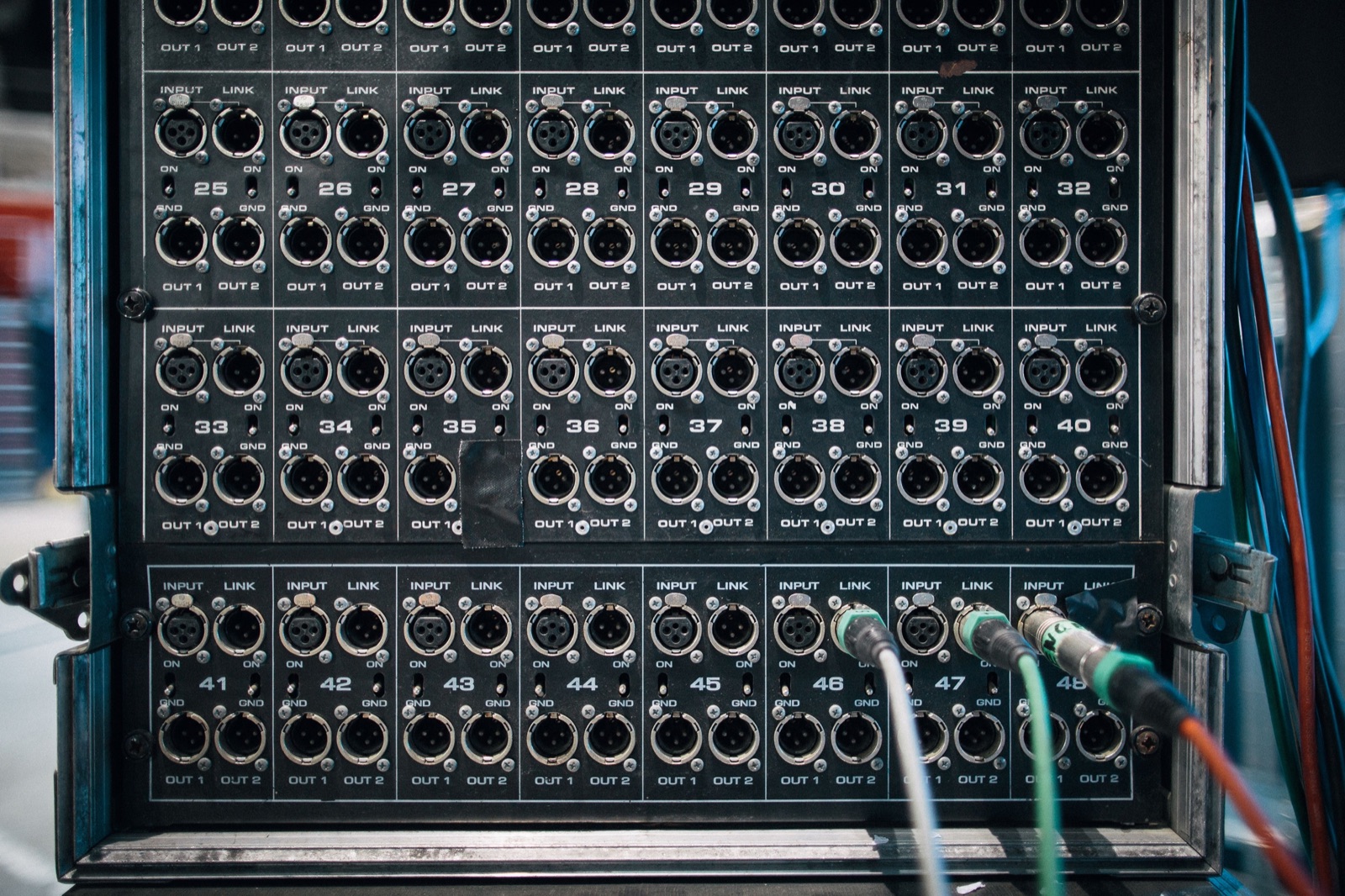
A bass DI box takes the signal from your bass and turns it into one a mixing desk or recording interface can use: balanced, low-impedance and able to travel down a long cable without picking up noise. It is how most basses reach the PA on stage and how many are recorded at home. By the end of this guide you'll know what a DI does, whether a passive or active DI suits your bass, how to connect one alongside your amp, and how a preamp DI pedal such as the Tech 21 SansAmp Bass Driver DI differs from a plain box.
What you'll need
Essentials
-
DI box
: passive or active, or a preamp DI pedal with an XLR output. -
Instrument cable
: from the bass to the DI's input; keep it reasonably short. -
XLR cable
: carries the balanced signal from the DI to the mixer, stage box or interface.
Optional
-
Second instrument cable
: from the DI's thru or parallel output to your amp, if you use one on stage. -
9-volt battery or adapter
: for active DIs and preamp pedals when phantom power isn't available.
What a bass DI box does
Radial Engineering, which makes DI boxes, puts the main job simply: a direct box converts the unbalanced, high-impedance signal from an instrument into a balanced, low-impedance signal. That matters for three reasons:
- Noise. Unbalanced high-impedance cables pick up hum from magnetic fields and radio interference much more easily.
- Distance. Radial's rule is that ordinary coaxial instrument cables shouldn't exceed about 25 feet, while balanced cables with XLR connectors can run for very long distances because their twisted-pair design rejects noise.
- Inputs. Mixers and stage boxes take balanced, low-impedance signals on XLR inputs.
Many bass amps have a DI built in: Yamaha's guide notes that many have an XLR direct output. If yours does, you may not need a separate box. A separate DI is still useful when your amp has none, when you play without an amp, or when you want the engineer to get your bass before the amp's tone controls.
Step 1: Choose passive or active
Passive DI
A passive DI has no electronics to power. Radial describes its core as an audio transformer, and notes that passive DIs tend to be preferable for high-output instruments such as keyboards and active basses. Radial's own passive model, the JDI, uses a Jensen transformer and, in Radial's words, is often selected for high-output bass guitars.
Active DI
An active DI has a powered circuit. Radial compares it to a condenser microphone: it needs 48-volt phantom power from the mixer, or a battery. Radial's active J48 runs on phantom power and is, according to the maker, particularly well suited to recording bass.
Which one for your bass
| Your bass | Reasonable first choice | Why |
|---|---|---|
| Active electronics (battery inside) | passive DI | the bass already supplies a strong signal |
| Passive pickups | try both, starting with an active DI | its powered circuit is the usual alternative to a transformer box |
| Bass with a piezo pickup | active DI or a preamp DI with blend | see the SansAmp section below |
If both kinds are available at a venue or studio, try each and keep the one that sounds clearer and quieter. Your bass, your cable and the room all play a part.
Step 2: Connect the DI
- Bass to DI. Plug an instrument cable from the bass into the DI's 1/4-inch input.
- DI to your amp (optional). Many DI boxes have a second 1/4-inch jack, labeled thru or link, that passes the bass signal on unchanged. Run a cable from it to your amp so you still hear yourself on stage.
- DI to the mixer. Connect an XLR cable from the DI's balanced output to the mixer, stage box or interface.
- Power. For an active DI, the engineer switches on phantom power for that channel, or you fit a battery.
- Level check. Play at your normal strength while the engineer sets the gain.
Do not put an ordinary DI between an amp head and its speaker cabinet. Radial's FAQ for the JDI says this is not advised, because its signal path is not made for such high levels. If you want the sound of your amp in the PA, use the amp's own XLR output instead.
Fixing hum and clipping
Ground lift
A ground-lift switch, Radial explains, reduces hum from ground loops by lifting the audio ground (pin 1). If the PA hums when your amp and the DI are both connected, try the lift switch first. On some older active designs, Radial notes, lifting the ground also cuts phantom power, so the box falls back on its battery.
Pad
A pad lowers the input level. Engage it when the signal is so hot that it distorts the DI, which is more likely with active basses or a pedal boost in front of the box.
Step 3: Consider a preamp DI such as the SansAmp Bass Driver DI
A preamp DI combines tone shaping with a DI output. One example is the Tech 21 SansAmp Bass Driver DI. These facts come from Tech 21's own product page:
| Feature | SansAmp Bass Driver DI (per Tech 21) |
|---|---|
| Footswitch | engages the tube-amp emulation; off, the unit is a standard active transparent direct box |
| Tone controls | Presence, Drive, Level, Blend; active Bass, Mid and Treble, ±12 dB |
| Shift switches | Mid Shift 500 Hz or 1,000 Hz; Bass Shift 40 Hz or 80 Hz |
| Outputs | effected XLR, effected 1/4-inch, parallel uneffected 1/4-inch |
| Power | phantom power, a 9-volt alkaline battery or the optional DC9 adapter |
| Size | 4.75 × 3.75 × 2 inches |
What the controls do
- Drive sets the overall gain and overdrive; Presence adds definition and upper harmonics.
- Level sets the output of the XLR and effected 1/4-inch jacks.
- Blend mixes your direct bass signal with the SansAmp circuit; Tech 21 notes it is particularly useful for basses with piezo pickups.
How players use it
Tech 21 presents it as a way to enhance an existing rig, more than just a direct box. In practice that gives you three options: in front of your amp as a tone and overdrive pedal, as a DI that sends a shaped tone to the PA while the parallel output feeds your amp, or straight into a mixer or interface with no amp at all. For where it sits among other effects, see the guide to bass pedals.

Recording bass with a DI
At home, a DI or preamp DI connects your bass to an audio interface's microphone input over XLR, or you plug straight into an interface's instrument (Hi-Z) input, if it has one, which usually does a DI's job inside the interface. Set the input gain so the loudest notes stay well below the interface's clip light.
Common mistakes
- No thru cable to the amp, leaving you with nothing to hear on stage.
- Phantom power off with an active DI that has no battery: no signal.
- DI between head and cabinet. Use the amp's XLR out instead.
- Ignoring hum. Try the ground lift before turning anything up.
- Opening the amp to "add" a DI output. Never open an amplifier; internal parts can hold dangerous voltage. A technician can advise.
A DI often lets the PA carry the bass, so the stage can be quieter. Even so, long or repeated exposure to sound at or above 85 dBA can cause permanent hearing loss, according to the NIDCD, so wear earplugs on loud stages.
What to check next
If your amp already has an XLR output, read how heads and cabinets and their outputs fit together. For an overview of every kind of rig, from headphone amps to stage stacks, see choosing a bass amp, and browse Amps & effects.
Questions
Do I need a DI box for bass?
You need one whenever your bass goes to a PA mixer or a long cable run, unless your amp has its own XLR direct output. A DI converts the bass's unbalanced, high-impedance signal into a balanced, low-impedance one that the mixer expects.
Should I use a passive or active DI with my bass?
Radial notes that passive DIs tend to suit high-output sources such as active basses. Active DIs, which need phantom power or a battery, are the other choice; if you have both, try each with your bass and keep the one that sounds clearer and quieter.
What does the SansAmp Bass Driver DI do?
It is a preamp and DI in one pedal. Tech 21 describes tube-amp emulation with drive, blend and three-band EQ, an effected XLR output, an effected 1/4-inch output and an uneffected parallel 1/4-inch output; with its footswitch off it works as an active transparent DI.
Can the SansAmp Bass Driver DI run on phantom power?
Yes. Tech 21 lists it as operable via phantom power from the mixer, with a 9-volt battery, or with its optional DC9 adapter.
Can I put a DI box between my amp head and cabinet?
Not an ordinary DI. Radial's FAQ for its JDI advises against it because the circuit is not made for speaker-level signals; use the amp's XLR direct output instead, or a DI connected before the amp.
Sources
Read next
Guide
Bass amp head and cabinet: how heads, cabs and ohms fit together
What a head and a cabinet each do, how cabinet sizes differ, and the one calculation in ohms that keeps your amp safe.
Guide
Bass pedals: the effects bass players use and the order to put them in
What each common bass effect does, why bass versions of pedals exist, and a signal chain order that keeps your low end intact.
Buying guide
Best bass amp for you: the types of bass amp and how to choose one
Headphone amp, combo, head and cabinet or preamp pedal: which type fits your room, your band and your back, and what makes any of them a good bass amp.